Download DYOS Applications

Free applications for your mobile device

Here you can download selected DYOS applications and supporting configuration files.
Some applications can be installed directly on an Android device. Installation instructions are provided below.
Important: Android may display security warnings when installing applications from outside the Google Play Store. Please follow the installation instructions carefully.

Language Application

Free Language Learning

Learn a new language through vocabulary, pronunciation, grammar, exercises, sentence construction and reading.
The application is completely free and contains no advertisements.

Installation

  1. Open the download page on your Android device.
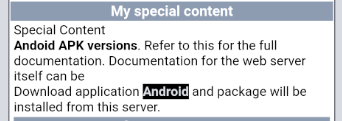
  2. Select the Android Download link.
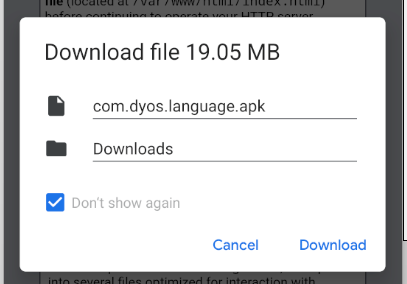
  3. Download the application package.
  4. Open the downloaded file.
  5. If Android displays a security warning, open the relevant settings.
  6. Allow installation from this source when prompted.
  7. Install the application.

Language Configuration

After installing the application:
  1. Start the Language Application.
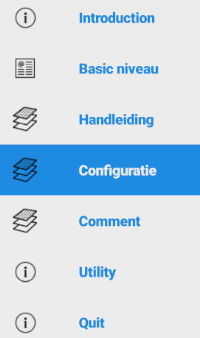
  2. Open the menu using the three horizontal lines.
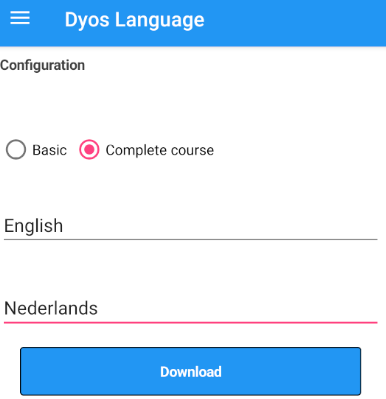
  3. Select Configuration.
  4. Select your native language.
  5. Select the language you want to learn.
  6. Restart the application.
You are now ready to start learning.


Sudoku

A classic puzzle — completely free

Sudoku is one of the world's most popular logic puzzles.
The objective is simple: fill the 9 × 9 grid so that every row, column and 3 × 3 section contains the numbers 1 through 9.
Sudoku is easy to learn but provides a challenging puzzle experience.
The DYOS Sudoku application is completely free and contains no advertisements.
Download Sudoku


Installation

1. Click / tab on the Androind link in the webpage.


2. Popup Download file will be shown.
Click / tab on the Download.


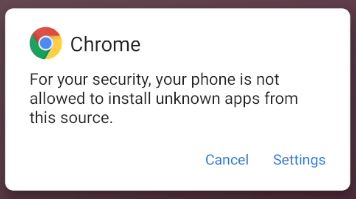
3. Popup Chrome warning will be shown.
Click / tab on the Settings.


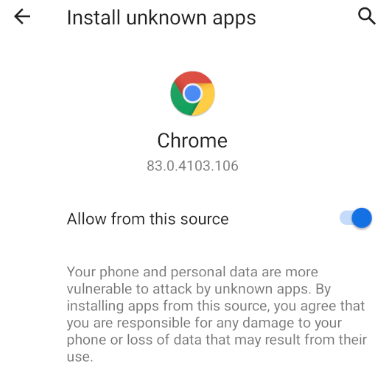
4. Popup Install unknown apps will be shown.
Allow from this source.
Switch Allow to enabled (see image).


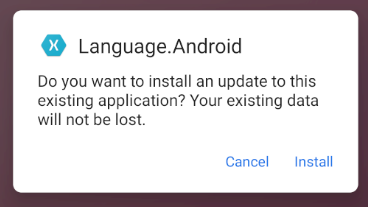
5. Popup Language.Android will be shown.
Click / tab on Install.


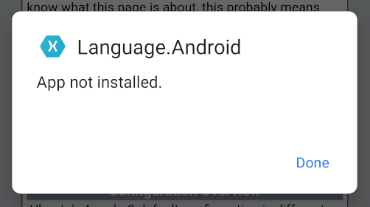
6. Popup Language.Android will be shown.
Click / tab on Install.


Configuration

7. Start the App and choose for the menu (three horizontal lines).


8. Choose for configuration.


9. Select your onw language and select the language you want to learn.
Restart the App and you are ready to learn.